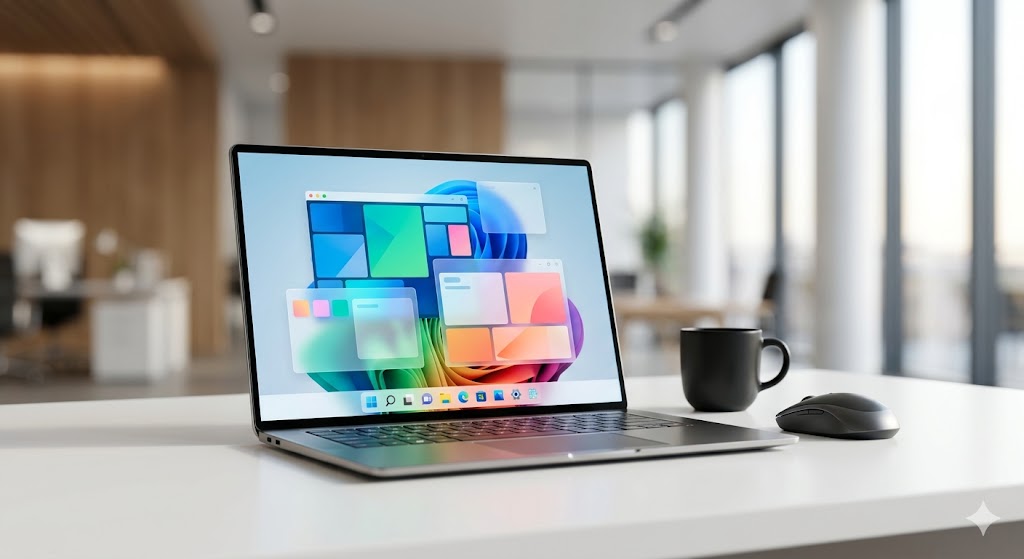
ปฏิวัติการทำงานยุคใหม่: ปลดล็อกศักยภาพองค์กรด้วย Cloud PC บนระบบ Windows 11
Modern Enterprise Computing: Unleashing Potential with Cloud PC Windows 11 Solutions
企业办公新趋势:利用 Windows 11 云电脑提升工作效率与数据安全
ในโลกธุรกิจที่ความคล่องตัวคือหัวใจสำคัญ การบริหารจัดการทรัพยากรคอมพิวเตอร์แบบเดิมที่ต้องผูกติดกับฮาร์ดแวร์ตั้งโต๊ะกำลังกลายเป็นอดีต หลายองค์กรขนาดกลางและขนาดใหญ่เริ่มเผชิญกับความท้าทายในการรักษาความปลอดภัยของข้อมูลพร้อมๆ กับการรองรับการทำงานแบบ Hybrid Work ที่ต้องยืดหยุ่นสูง การเปลี่ยนผ่านสู่ระบบ Cloud PC ที่มาพร้อม Windows 11 Pro จึงไม่ใช่แค่การอัปเกรดซอฟต์แวร์ แต่คือการวางรากฐานโครงสร้างพื้นฐานไอทีให้พร้อมรับมือกับทุกการเปลี่ยนแปลง
ทำไม Cloud PC ถึงเป็นคำตอบสำหรับองค์กรยุคใหม่
ข้อผิดพลาดที่องค์กรมักพลาดคือการพยายามบริหารจัดการเครื่อง PC รายบุคคลในออฟฟิศ ซึ่งสิ้นเปลืองทั้งค่าบำรุงรักษาและเสี่ยงต่อข้อมูลรั่วไหล การใช้ Cloud PC ช่วยให้คุณควบคุมทุกอย่างได้จากศูนย์กลาง โดยเฉพาะการรันโปรแกรมบัญชีหรืองาน ERP ที่ต้องการความเสถียร หากคุณใช้งานซอฟต์แวร์เฉพาะทาง เทคนิคเปลี่ยน Mac ให้รันโปรแกรมบัญชี Express ด้วย Cloud Workstation ประสิทธิภาพสูง จะช่วยให้พนักงานของคุณทำงานได้ไร้รอยต่อโดยไม่ต้องเปลี่ยนเครื่องใหม่
| ฟีเจอร์ | Cloud PC (Naxza) | PC ตั้งโต๊ะทั่วไป |
|---|---|---|
| การบำรุงรักษา | ศูนย์กลาง (Data Center) | รายเครื่อง (Manual) |
| ความปลอดภัย | ระบบป้องกันระดับสูง | เสี่ยงต่อการถูกขโมย/สูญหาย |
| การเข้าถึง | ทุกที่ทุกเวลา | เฉพาะในออฟฟิศ |
| การสำรองข้อมูล | ทำได้ทันที | ทำได้ยากและซับซ้อน |
งบประมาณและการตัดสินใจลงทุน
สำหรับการลงทุนใน Cloud PC องค์กรควรคำนึงถึงค่า TCO (Total Cost of Ownership) ซึ่งบริการของ Naxza เริ่มต้นเพียง 800 - 1,500 บาทต่อเดือน ต่อเครื่อง โดยใช้ Bare Metal แท้ 100% วางที่ CAT IDC ทำให้ได้ Public IP จริง ซึ่งคุ้มค่ากว่าการลงทุนซื้อฮาร์ดแวร์ราคาแพงที่เสื่อมสภาพตามกาลเวลา
Pro Tip จากวิศวกร
ควรเลือกใช้บริการ Cloud PC ที่เป็น Bare Metal แทน Virtual Machine ทั่วไป เพื่อให้มั่นใจว่า Resource ของ CPU และ RAM จะถูกใช้งานได้เต็มประสิทธิภาพ 100% ไม่มีการแย่งทรัพยากรกันในระบบ
FAQ
- ถาม: Cloud PC ต่างจาก VPS ทั่วไปอย่างไร? ตอบ: Cloud PC ของเราเป็น Bare Metal 100% รัน Windows 11 Pro แท้ เหมาะกับงานออฟฟิศและโปรแกรมบัญชี ต่างจาก VPS ที่มักรันบน Linux หรือ Windows Server ที่จำกัดการใช้งาน
- ถาม: องค์กรจะมั่นใจเรื่องความปลอดภัยได้อย่างไร? ตอบ: ข้อมูลทั้งหมดถูกเก็บใน Data Center มาตรฐาน NT (บริษัท โทรคมนาคมแห่งชาติ จำกัด) มีระบบป้องกันที่รัดกุมและทีมงานดูแลตลอด 24 ชั่วโมง
- ถาม: เริ่มใช้งานยากหรือไม่? ตอบ: ไม่ยาก เพียงแค่เชื่อมต่อผ่าน Remote Desktop จากอุปกรณ์ที่คุณมี ไม่ว่าจะเป็น iPad, Mac หรือ Notebook ธรรมดา ก็ใช้งาน Windows 11 ประสิทธิภาพสูงได้ทันที
In a business landscape where agility is paramount, relying on traditional physical hardware is becoming a bottleneck. Many enterprises are struggling to balance data security with the demand for flexible hybrid work environments. Transitioning to a Cloud PC solution running Windows 11 Pro is not merely a software upgrade; it is a strategic foundation for resilient IT infrastructure.
Why Cloud PC is the Future of Enterprise Computing
A common mistake enterprises make is managing individual physical PCs, which leads to high maintenance overheads and data vulnerabilities. Centralizing your operations with Cloud PC allows for better control. For those dealing with specific software, our guide on high-performance Cloud Workstations for accounting software provides a seamless path for users on Mac or mobile devices to run Windows-based applications effortlessly.
| Feature | Cloud PC (Naxza) | Standard Desktop |
|---|---|---|
| Maintenance | Centralized (Data Center) | Manual (Per Device) |
| Security | Enterprise-Grade | High Risk of Loss/Theft |
| Accessibility | Anywhere, Anytime | Office Premises Only |
| Backup | Automated | Complex/Manual |
Investment Strategy
When considering the TCO, Naxza’s Cloud PC service starts from as low as 800 - 1,500 THB/month. By leveraging Bare Metal infrastructure at a Tier-1 Data Center (NT), enterprises gain a genuine Public IP, avoiding the depreciation and hidden costs of physical hardware.
Pro Tip from our Engineers
Always prioritize Bare Metal Cloud PC solutions over standard VMs to ensure 100% resource dedication, preventing performance drops during peak business hours.
FAQ
- Q: How is this different from a standard VPS? A: We provide dedicated Bare Metal resources running Windows 11 Pro, specifically optimized for business applications, unlike shared VPS environments.
- Q: Is my data secure? A: Yes, our infrastructure is hosted within the NT (National Telecom) Data Center, ensuring top-tier security and stability.
- Q: How do I get started? A: Simply connect via Remote Desktop from any device, including iPads, Macs, or standard laptops, to access your full-featured Windows 11 environment.
在当今商业环境中,灵活性是企业生存的核心。传统的物理办公电脑已难以满足混合办公的需求。对于中大型企业而言,采用运行 Windows 11 Pro 的云电脑(Cloud PC)解决方案,不仅是软件层面的升级,更是构建稳固、安全且高效的 IT 基础设施的关键战略。
为何云电脑是现代企业的首选
企业常见的误区在于过度依赖分散的物理硬件管理,这不仅增加了维护成本,还带来了数据泄露风险。通过云电脑进行集中式管理,可以有效提升安全性。如果您正在寻找如何让 Mac 设备运行 Windows 专业软件的解决方案,请参考我们的 高性能云工作站运行财务软件指南,助您实现跨平台的高效办公。
| 特性 | 云电脑 (Naxza) | 传统台式机 |
|---|---|---|
| 维护方式 | 集中式 (数据中心) | 手动 (单机维护) |
| 安全性 | 企业级防护 | 风险较高 |
| 访问性 | 随时随地访问 | 仅限办公室内 |
| 数据备份 | 自动化管理 | 复杂且易丢失 |
投资与成本分析
从总体拥有成本(TCO)来看,Naxza 提供的云电脑服务每月仅需 800 至 1,500 泰铢。通过部署在国家电信(NT)数据中心的裸机(Bare Metal)服务器,企业不仅获得了真实的公网 IP,还免去了昂贵的硬件折旧成本。
工程师专业建议
建议企业优先选择基于裸机(Bare Metal)架构的云电脑服务,而非传统的虚拟机,以确保 CPU 和内存资源 100% 独立,避免在业务高峰期出现性能波动。
常见问题解答 (FAQ)
- 问:云电脑与普通 VPS 有何不同?答:我们提供的是 100% 裸机资源,运行正版 Windows 11 Pro,专门为办公应用优化,而非共享资源的 VPS。
- 问:数据安全性如何保障?答:我们的架构托管在国家电信(NT)数据中心,拥有极高等级的物理与网络安全防护。
- 问:如何接入服务?答:只需通过远程桌面即可在 iPad、Mac 或普通笔记本电脑上接入您的 Windows 11 工作环境,无需复杂配置。
ดีลเด็ดสินค้าไอทีที่ Studio7 💻Best IT Deals at Studio7 💻Studio7 最佳 IT 优惠 💻
ช้อปสินค้า Apple แท้ iPhone, iPad, Mac พร้อมโปรโมชั่นสุดคุ้มTop destination for authentic computers, smartphones & IT accessories.购买正品电脑、智能手机和 IT 配件的首选地。